The best AI coding agents in 2026 are no longer simple autocomplete tools. Cursor, Claude Code, Codex, GitHub Copilot, Devin, Aider, Replit Agent, Windsurf, and other agentic tools can read a codebase, plan changes, run permitted commands, draft fixes, run tests, and prepare PRs for developer review.
Quick answer: the best AI coding agent depends on your workflow. Cursor is a low-friction default for an AI-native IDE, Claude Code fits terminal-first supervised engineering, Codex is strong for asynchronous cloud task drafting, GitHub Copilot fits GitHub/Microsoft teams, Devin can help with larger supervised tasks, Aider/Cline/OpenCode fit open-source terminal workflows, and Replit Agent is useful for browser-based prototypes.
Best AI coding agents by use case
| Use case | Best AI coding agent | Why it fits |
|---|---|---|
| Best default AI IDE | Cursor | VS Code-style environment, agent requests, cloud agents, code review features, and broad model access |
| Best terminal coding agent | Claude Code | Strong supervised terminal workflow for planning, editing, running commands, and reviewing diffs |
| Best async cloud coding agent | Codex | Good fit for delegating tasks in isolated/cloud environments and reviewing results later |
| Best GitHub-native workflow | GitHub Copilot | Agent mode, coding agent, code review, and PR flow are built around GitHub |
| Supervised larger task delegation | Devin | Designed for sandboxed task execution, with developer review before merge |
| Best open-source terminal workflow | Aider, Cline, or OpenCode | Bring your own API keys, local repo control, and more transparency |
| Best browser prototype flow | Replit Agent | Good for beginners, education, and fast hosted prototypes |
| Security/testing assistance | Snyk Code or Qodo | More focused on potential vulnerability detection, fix suggestions, and test generation |
Compliance and safety note: treat all generated code as a draft. Before production use, agent-written changes should pass developer supervision, automated tests, code review, security review, dependency/license checks, and normal release controls.
Source check — June 12, 2026: this guide compares 20 AI coding agents with practical pros, cons, pricing notes, and best-fit workflows for developers in 2026. Pricing and usage limits change quickly, so use this as a workflow shortlist and verify the live vendor pricing page before buying seats. For this update, we checked current official pages for Cursor pricing, GitHub Copilot coding agent, Copilot billing/requests, Codex pricing, Claude API pricing, Devin pricing, Windsurf plans/usage docs, Replit pricing, Amazon Q Developer pricing, and Aider docs.
This page is specifically about agentic coding tools. If you need beginner-friendly app builders, no-code tools, or a broader coding assistant roundup, start with best AI tools for coding. If you are comparing model-level coding assistants, also see Grok for coding, Claude Code vs Codex, and Claude vs ChatGPT for coding.
What Are AI Agents for Coding?
Quick answer: an AI coding agent is a tool that can help plan and execute coding tasks across files, commands, tests, and pull requests instead of only suggesting the next line of code.
An AI coding agent is not the same thing as a code completion plugin. The distinction matters.
A traditional AI assistant responds to a single prompt and stops. An agentic coding assistant, on the other hand, takes a goal – “add authentication to this API” or “find and fix all memory leaks” – and can execute a sequence of tool-assisted steps with user-granted permissions. It reads files, runs commands, checks outputs, adjusts course, and reports back, but its output still needs review.
The shift happened because large language models got better at reasoning over multi-step tasks. Combine that with tool-use capabilities (the ability to call functions, browse codebases, run terminal commands), and you get something that behaves less like a chatbot and more like a supervised development assistant.

How Do Coding AI Agents Work?
Quick answer: most coding agents run an observe → plan → act → evaluate loop: they inspect your repo, choose a plan, edit files or run tools, evaluate test output, and iterate until they need human input.
Under the hood, most modern agentic coding tools rely on a loop: observe → plan → act → evaluate → repeat.
The agent receives a task. It inspects the relevant context (your codebase, docs, error logs). It generates a plan, then starts executing – writing a function, running tests, reading the output, deciding what to do next. This cycle continues until it drafts a solution, reaches a stopping condition, or hits a dead end and asks you for input.
What makes this possible is the combination of three things: a capable base model (usually one of the frontier LLMs), a set of tools the model can invoke (file read/write, terminal, browser, APIs), and a scaffolding layer that manages the loop. Some agents run the process entirely in your local environment. Others use cloud services. A few do both.
Context window size plays a surprisingly important role here. Larger context windows let the agent hold more of your codebase in “mind” at once, which directly affects how coherent and accurate its decisions are on large projects.
AI coding agents vs traditional coding tools in 2026
Quick answer: the 2026 shift is supervised agency: agents can edit multiple files, run permitted commands, open PRs, use cloud sandboxes, and perform review loops, while older tools mainly completed code in the current editor.
The generation of tools from 2022–2023 – early Copilot, basic Codeium – were fundamentally reactive. You typed, they suggested. Smart autocomplete.
What’s different now is agency. Today’s AI-powered coding agents can initiate actions, not just respond to them. They can open a PR, run a linter, catch a failing test, investigate why it failed, and attempt a fix without step-by-step prompting — but developer review, testing, and security review remain required before merge.
A few shifts worth noting:
- Multi-file reasoning is now standard. Tools that could only work on a single open file look dated.
- Voice and natural language specs have become viable input methods. You describe behavior, the agent writes the code.
- Agentic pipelines mean some tools now integrate with CI/CD, issue trackers, and deployment environments.
- On-device and privacy-first options have matured for teams that can’t send code to third-party servers.
The other big shift: pricing models. Flat monthly subscriptions are giving way to usage-based and token-based billing, which can be either a gift or a nasty surprise depending on how heavily you use the tools.
How AI Coding Agents Change Development in 2026
Quick answer: AI coding agents speed up boilerplate, tests, docs, prototypes, and small refactors, but they also make code review and verification more important because plausible-looking generated code can still be wrong.
Here’s what actually changed for working developers – not the marketing version.
The boring, tedious parts of coding can get much faster in favorable workflows. Boilerplate, unit tests, documentation, and refactoring for a new pattern may take minutes instead of hours when the task is well-scoped and the agent has the right context. That can compress the time between idea and working prototype.
The flip side is real too. Debugging AI-generated code requires a different mental model. You’re no longer reading code you wrote line by line – you’re auditing code an agent produced, which sometimes means hunting for subtle logic errors that look perfectly reasonable at a glance.
Senior developers tend to get more leverage from these tools than juniors, counter to the initial assumption. Why? Because senior devs are better at evaluating output, catching bad patterns early, and giving precise instructions. The agent amplifies your judgment. If your judgment isn’t there yet, you might not catch the mistakes.
That said, for solo developers and indie hackers, the productivity gains can be meaningful. Building a working full-stack prototype in a weekend is more achievable for one person with the right tools, but production hardening still requires review, testing, and security checks.

How to Choose the Best AI Agent for Coding
Quick answer: choose by workflow first: IDE, terminal, cloud PR agent, browser builder, security review, open-source control, enterprise privacy, or usage-based budget.
Before picking an agentic coding assistant, answer these questions honestly:
What’s your workflow? IDE-native tools like Cursor or JetBrains AI integrate into where you already work. Terminal tools like Claude Code or Aider suit developers who live in the command line. Cloud-based agents like Devin are better for longer supervised tasks that can be delegated with clear acceptance criteria.
What’s your codebase like? Large, legacy monorepos need tools with strong multi-file reasoning and long context windows. Greenfield projects are more forgiving.
How sensitive is your code? If you’re dealing with proprietary or regulated code, check whether the tool sends data to external servers. Tabnine and some JetBrains configurations offer self-hosted or on-device options.
What’s your team situation? Solo developers have different needs than teams of 20. Look at collaboration features, shared context, and how the tool handles code review workflows if you’re working with others.
What’s your actual budget? A $20/month subscription can look cheap until premium requests, usage credits, token spend, or overages push the real monthly cost higher. Calculate cost from your expected tasks, not the headline seat price.
If your shortlist is down to lab-native coding agents, read Claude Code vs Codex for async-vs-terminal tradeoffs, Claude vs ChatGPT for coding for model-level differences, and Grok for coding for xAI-specific developer workflows.
Pricing warning: coding-agent pricing is now a mix of seats, tokens, credits, premium requests, quota windows, and overage rules. For agent-heavy teams, calculate cost from real tasks, not just the advertised monthly plan price.
Review and Comparison of the Best AI Agents for Coding in 2026
Quick answer: start with Cursor, Claude Code, Codex, GitHub Copilot, Devin, Aider, Replit Agent, and Windsurf; then add specialized tools like Qodo, Snyk Code, Tabnine, or Amazon Q if your workflow needs testing, security, privacy, or cloud-specific help.

Cursor
The editor that became its category. Cursor started as a VS Code fork and evolved into something with a genuinely different philosophy: the IDE built around AI, not AI bolted onto an IDE.
Best For
Developers who want tight AI integration in a familiar VS Code environment, multi-file editing, and natural language-driven refactoring.
Pros & Cons
| ✅ Pros | ❌ Cons |
|---|---|
| Composer mode enables complex multi-file changes in a single instruction | Needs to leave VS Code (or whichever other editor) |
| Great context awareness across the whole codebase | Can be overkill for simple things |
| Tab completion that completes entire logical blocks, not just the next line | The more you use, the higher the price |
| Rich community and plugin ecosystem |
Pricing
Free Hobby tier available. Individual Pro starts at $20/month, Teams starts at $40/user/month, and Enterprise is custom. Usage-based billing can apply after included model usage, so calculate cost from expected agent volume.
Claude Code
Anthropic’s terminal-native coding agent. Not an IDE plugin – a CLI tool you run in your terminal that can access your file system and execute commands when you grant the relevant permissions.
Best For
Developers comfortable with the terminal who want an agent that can help with complex, multi-step coding tasks using strong reasoning under structured oversight.
Pros & Cons
| ✅ Pros | ❌ Cons |
|---|---|
| Remarkably strong reasoning on complex logic problems | Terminal-only; no GUI |
| Full agentic loop: reads, writes, runs, evaluates | Token-based pricing can add up on large projects |
| Strong at explaining its own decisions | Requires trusting an agent with file system and terminal access |
| Works well with large, complex codebases | |
| MCP (Model Context Protocol) support for connecting external tools |
Pricing
Usage-based via Anthropic API. Also available through Claude Pro/Max subscription plans.
GitHub Copilot
The tool that mainstreamed AI coding assistance. Now well into its second generation, with agentic features added to what was originally a completion engine.
Best For
Teams already on GitHub who want AI assistance without changing their existing workflow. Works across most popular IDEs.
Pros & Cons
| ✅ Pros | ❌ Cons |
|---|---|
| Massive adoption means excellent integration and documentation | Early mover disadvantage – some newer tools have surpassed it on raw capability |
| Copilot Workspace handles full-feature development from issue to PR | Copilot Workspace still maturing as an agentic product |
| Strong IDE support (VS Code, JetBrains, Visual Studio, Neovim) | Enterprise pricing is substantial |
| Enterprise compliance and data-handling options; verify plan docs |
Pricing
Copilot has Free, Pro, Pro+, Business, and Enterprise paths, with agent/coding-agent usage governed by GitHub’s premium request and AI credit rules. The familiar monthly seat price is only part of the cost story for agent-heavy workflows, so check GitHub’s live Copilot plans and billing docs before rollout.
Devin
The one that made headlines when it launched – billed as the “first AI software engineer.” Reality is more nuanced: Devin can be useful for long-horizon tasks, but it still needs scoped instructions and developer review.
Best For
Supervising well-defined development tasks that might take a human developer hours or a full day.
Pros & Cons
| ✅ Pros | ❌ Cons |
|---|---|
| Can draft and attempt long, multi-step engineering tasks | Very expensive for routine use |
| Has its own browser, terminal, and code editor environment | Struggles with ambiguous or underspecified tasks |
| Integrates with GitHub, Jira, Slack | You’re handing off control, which requires trust and verification afterward |
| Good at tasks with clear success criteria |
Pricing
Devin’s current pricing page lists free/paid and enterprise paths, with paid plans using usage quotas and optional extra usage terms. Check the live Devin pricing page because its plan structure has changed quickly.
Codex (OpenAI)
OpenAI’s cloud-based coding agent operates in a sandboxed environment and is designed for asynchronous supervised task execution. Separate from the legacy Codex model, this is a full agent product.
Best For
Developers who want to parallelize work by running multiple coding tasks simultaneously in isolated environments.
Pros & Cons
| ✅ Pros | ❌ Cons |
|---|---|
| Sandboxed environment reduces risk to your local system | Cloud-only; not suitable for code that can’t leave your network |
| Parallel task execution | Still relatively new; some rough edges |
| Strong integration with the OpenAI ecosystem | Async workflow takes adjustment |
| Good at writing and running tests to check its output, but tests do not replace human review |
Pricing
Codex availability and cost depend on your ChatGPT plan and token/API usage. OpenAI’s Codex pricing page says Codex is included across ChatGPT plans, with token-based usage details for heavier workflows.
Aider
The scrappy open-source option that performs significantly better than expected. It runs in your terminal, integrates with Git, and lets you pair-program with LLMs using your own API keys.
Best For
Developers who want open-source flexibility, full control over which model they use, and no subscription lock-in.
Pros & Cons
| ✅ Pros | ❌ Cons |
|---|---|
| Works with OpenAI, Anthropic, local models via Ollama, and more | Terminal-only; steeper learning curve |
| Excellent Git integration – commits changes with sensible messages automatically | Quality depends heavily on which underlying model you’re using |
| Supports a wide range of languages and frameworks | Less polished than commercial alternatives |
| Completely free; you only pay for the API you use |
Pricing
Free and open source. Pay only for your LLM API usage.
Replit Agent
Replit went all-in on the agent paradigm. Its agent can take a plain English description and draft or build a hosted application prototype in the browser, without local setup.
Best For
Beginners, educators, rapid prototypers, and anyone who wants to go from idea to deployed app without touching a terminal.
Pros & Cons
| ✅ Pros | ❌ Cons |
|---|---|
| No setup required – all runs in browser | Free/lower tiers performance limits |
| Can prototype and deploy applications from a description | Not well suited for complex production codebases |
| Good for learning and prototyping | Less control than local development environments |
| Built for collaboration |
Pricing
Free tier available with daily Agent credits. Paid Replit plans and Agent usage are quota/credit-based, so verify the current Replit pricing page before relying on older fixed monthly numbers.
Amazon Q Developer
AWS’s answer to the coding agent question. Deep integration with the AWS ecosystem and strong enterprise positioning.
Best For
Teams building on AWS who want AI assistance that understands their cloud infrastructure context, not just their code.
Pros & Cons
| ✅ Pros | ❌ Cons |
|---|---|
| Native integration with AWS services and IAM | Value drops significantly outside the AWS ecosystem |
| Can help with infrastructure-as-code (CloudFormation, CDK) | Less impressive on pure coding tasks compared to specialized alternatives |
| Security scanning assistance built in | UI can feel clunky |
| Enterprise-oriented controls; verify compliance needs against current AWS documentation |
Pricing
Amazon Q Developer has Free and Pro tiers. The Pro tier is $19/user/month on the current AWS pricing page, with request and transformation limits; verify AWS pricing and quotas before rollout.
Tabnine
One of the originals, now evolved into an enterprise-focused AI coding assistant with a strong privacy story.
Best For
Enterprise teams that need on-premises or private cloud deployment, privacy/compliance-oriented controls, and the ability to train on internal codebases.
Pros & Cons
| ✅ Pros | ❌ Cons |
|---|---|
| Self-hosted and private cloud options | Less capable on raw tasks than newer cloud-native alternatives |
| Can be fine-tuned on your organization’s codebase | Higher price point for enterprise features |
| Compliance-oriented features such as SOC2/GDPR support; verify current certifications and plan terms | Less impressive for solo developers |
| Works across virtually all IDEs |
Pricing
Free tier and paid team/enterprise paths are available; verify current Tabnine pricing before procurement because enterprise privacy and deployment options depend on plan.
Codeium
The “free GitHub Copilot” that turned into a serious competitor. Now branded partly as Windsurf’s underlying technology, Codeium offers strong capabilities at an accessible price point.
Best For
Individual developers who want solid AI assistance without paying Copilot prices.
Pros & Cons
| ✅ Pros | ❌ Cons |
|---|---|
| Generous free tier | Less powerful on complex agentic tasks |
| Fast autocomplete with good accuracy | Enterprise features limited |
| Supports a wide range of languages and IDEs | Some quality inconsistency on less common languages |
| Chat interface for code explanation and generation |
Pricing
Free and paid team/enterprise paths are available; verify current Codeium/Windsurf plan naming because the product and pricing pages have changed over time.
Gemini Code Assist
Google’s coding assistant, running on Gemini models. The enterprise version offers a 1M token context window – which is enormous and genuinely useful for large codebases.
Best For
Teams in the Google Cloud ecosystem, or any developer working with genuinely massive codebases where context window size matters.
Pros & Cons
| ✅ Pros | ❌ Cons |
|---|---|
| Industry-leading context window for codebase-wide understanding | Less polished UX than Cursor or Copilot |
| Strong integration with Google Cloud and BigQuery | Strong preference for Google ecosystem |
| Good performance on data engineering and analytics tasks | Agentic features still catching up |
| Enterprise security and compliance |
Pricing
Individual and enterprise paths are available; verify current Google pricing before rollout, especially for Gemini Code Assist and Google Cloud organization plans.
Windsurf
From the Codeium team. Windsurf is an IDE (like Cursor) built around an agent called Cascade, which maintains awareness of your actions and project context over time.
Best For
Developers who want a full IDE experience with a persistent, context-aware agent that feels like it’s actually following along with your work.
Pros & Cons
| ✅ Pros | ❌ Cons |
|---|---|
| Cascade’s “flow” model tracks what you’re doing and proactively helps | Another IDE to adopt – context-switching cost |
| Strong multi-file edit capabilities | Smaller ecosystem than VS Code/Cursor |
| Clean, well-designed UI | Still maturing some enterprise features |
| Good at staying consistent with your established patterns |
Pricing
Windsurf currently uses Free, Pro/Max, Teams, and Enterprise paths with usage/quota rules that have changed recently. Treat this as a workflow recommendation and verify the live Windsurf pricing and usage docs before buying seats or estimating agent-heavy monthly cost.
OpenCode
An open-source terminal agent that brings a Cursor-like experience to the command line, using your own API keys and model choices.
Best For
Terminal-first developers who want agentic capabilities with full model flexibility and no monthly subscription.
Pros & Cons
| ✅ Pros | ❌ Cons |
|---|---|
| Open source and self-hostable | Less polished than commercial alternatives |
| Model-agnostic – works with any OpenAI-compatible API | Documentation still catching up |
| Active development community | Requires comfort with terminal workflows |
| No vendor lock-in |
Pricing
Free and open source.
JetBrains AI
JetBrains integrated AI into their IDE suite – IntelliJ, PyCharm, WebStorm, and the rest. For existing JetBrains users, this is the easiest option.
Best For
Developers already in the JetBrains ecosystem who want AI help without having to change tools.
Pros & Cons
| ✅ Pros | ❌ Cons |
|---|---|
| Deep integration with JetBrains IDEs with specific features | Needs JetBrains IDE subscription in addition to AI subscription |
| AI chat with context of codebase | Not as good as specialized agents on complex tasks |
| Privacy-preserving local AI model choices | Catching up on agentic skills |
| Familiar environment for current users |
Pricing
JetBrains AI is priced separately from JetBrains IDE subscriptions in many cases, with bundled options available. Verify current JetBrains pricing for your IDE/license combination.
Playcode AI
A browser-based coding environment with AI integration for frontend developers and rapid prototyping.
Best For
Frontend developers who want to quickly prototype JavaScript, React, or TypeScript snippets with AI assistance and instant preview.
Pros & Cons
| ✅ Pros | ❌ Cons |
|---|---|
| Instant browser-based environment, no setup | Limited to frontend/JS ecosystem |
| Good for JavaScript/TypeScript/React | Not suitable for backend or complex full-stack development |
| Editor has AI built in assistance | Less feature-rich than full IDE solutions |
| Rapid iteration for UI prototyping |
Pricing
Free and paid plans are available; verify current PlayCode pricing before purchase.
Qodo
Formerly CodiumAI. Focuses specifically on test generation and code integrity – a different angle from most agents that focus on feature development.
Best For
Teams who want to dramatically improve test coverage without writing every test by hand, and developers who care about code behavior analysis.
Pros & Cons
| ✅ Pros | ❌ Cons |
|---|---|
| Really good at coming up with useful tests (not just tests that play games with coverage) | Specialized agent, rather than general-purpose |
| Analyzes code behavior, not code syntax | Not so useful if you don’t care about testing |
| Git integration and pull request review tools | Some advanced features are enterprise only |
| Good for improving quality of existing codebases |
Pricing
Free, team, and enterprise paths are available; verify current Qodo pricing before buying seats.
Snyk Code
Security-first AI code analysis. Less of a “write code for me” tool and more of a “help identify potential vulnerabilities” tool – which is a different and important category.
Best For
Security-conscious teams, fintech, healthtech, and any organization where a security vulnerability has real consequences.
Pros & Cons
| ✅ Pros | ❌ Cons |
|---|---|
| Real-time security scanning as you write | Not a general coding agent – narrow focus |
| Can flag OWASP Top 10-style issues; false positives and false negatives are possible | Can produce false positives that slow down development |
| AI-generated fix suggestions, not just alerts | Full feature set requires paid plan |
| Integrates with major IDEs and CI/CD pipelines |
Pricing
Free, team, and enterprise paths are available; verify current Snyk pricing and scan limits for your organization.
Cline
An open-source VS Code extension that brings a full agentic loop into the editor. Uses your API keys and can execute terminal commands, read/write files, and interact with your browser when granted permissions.
Best For
VS Code users who want Cursor-like agentic capabilities without switching editors, and who don’t mind configuring things themselves.
Pros & Cons
| ✅ Pros | ❌ Cons |
|---|---|
| Runs inside VS Code – no editor switch required | Requires manual setup and API key management |
| Full agentic capabilities: file system, terminal, browser | Less polished than commercial alternatives |
| Model-agnostic via API keys | You’re responsible for your own costs |
| Active open-source community; frequent updates |
Pricing
Free and open source. Pay for your own LLM API usage.
Augment Code
A newer entrant targeting professional engineering teams with a focus on codebase understanding at scale. Positions itself as particularly strong for large, complex repositories.
Best For
Engineering teams working on large production codebases where codebase-wide context and consistency matter more than raw generation speed.
Pros & Cons
| ✅ Pros | ❌ Cons |
|---|---|
| Strong codebase indexing for large repos | Newer product with less track record |
| Maintains context across your entire engineering history | Higher price point targets enterprise |
| Good at understanding existing patterns and staying consistent with them | Less suitable for small projects or solo developers |
| Team-oriented features: shared memory, context |
Pricing
Free trial and professional/enterprise paths are available; verify current Augment Code pricing before procurement.
Codegen
A GitHub-native agent focused on assisting pull request workflows – reviewing, commenting, suggesting, and generating draft fixes based on review feedback.
Best For
Teams that want to speed up code review cycles and assist with repetitive parts of the PR process.
Pros & Cons
| ✅ Pros | ❌ Cons |
|---|---|
| GitHub integration (native) | Limited use case – best used with other tools |
| Capable of developing fixes based on review comments | Auto-generated fixes: quality may vary |
| May reduce review turnaround on routine PRs | Works best with well-structured PRs and clear comments |
| Good at keeping the style and pattern consistent |
Pricing
Free/open-source and paid team paths are available; verify current Codegen pricing before procurement.
Final Thoughts
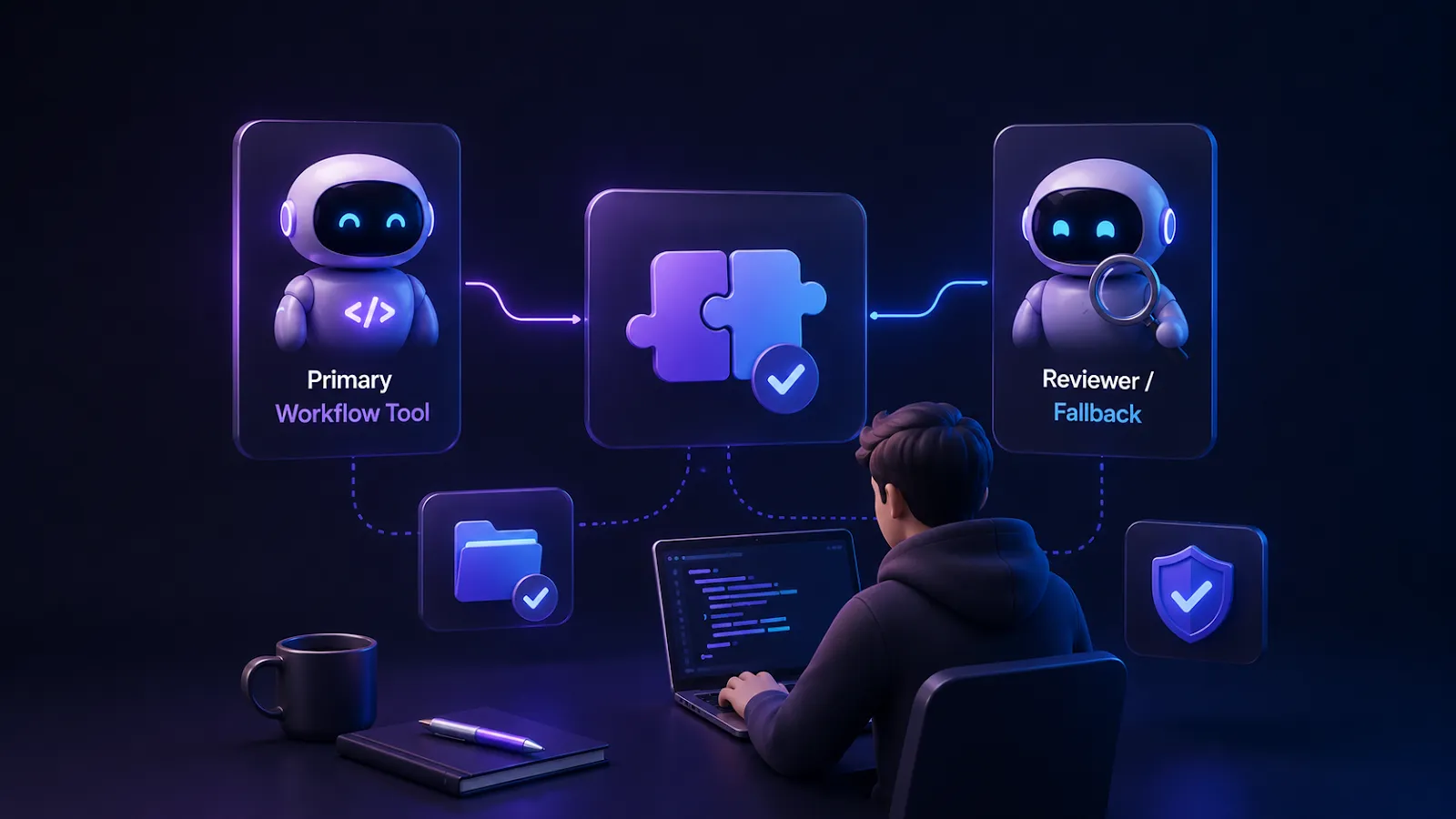
Quick answer: there is no universal best AI coding agent. The right stack is usually one primary workflow tool plus one reviewer or fallback model for high-risk changes.
There’s no “best” AI powered coding agents – the right answer depends on what you’re building, how you work, and what you actually need help with. A senior backend engineer at a regulated company has completely different requirements than a solo founder shipping a SaaS MVP.
What’s clear is that the category has matured past the hype. These tools can change what is possible for a single developer or small team. The question isn’t whether to use them – it’s which ones to use and how to integrate them without losing your own understanding of the code they help you write.
Start with one tool that fits your workflow. Give it a real project, not toy examples. And if it doesn’t work after a few weeks, try another. The best tool is the one that becomes invisible, so you stop thinking about the AI and just focus on the problem.